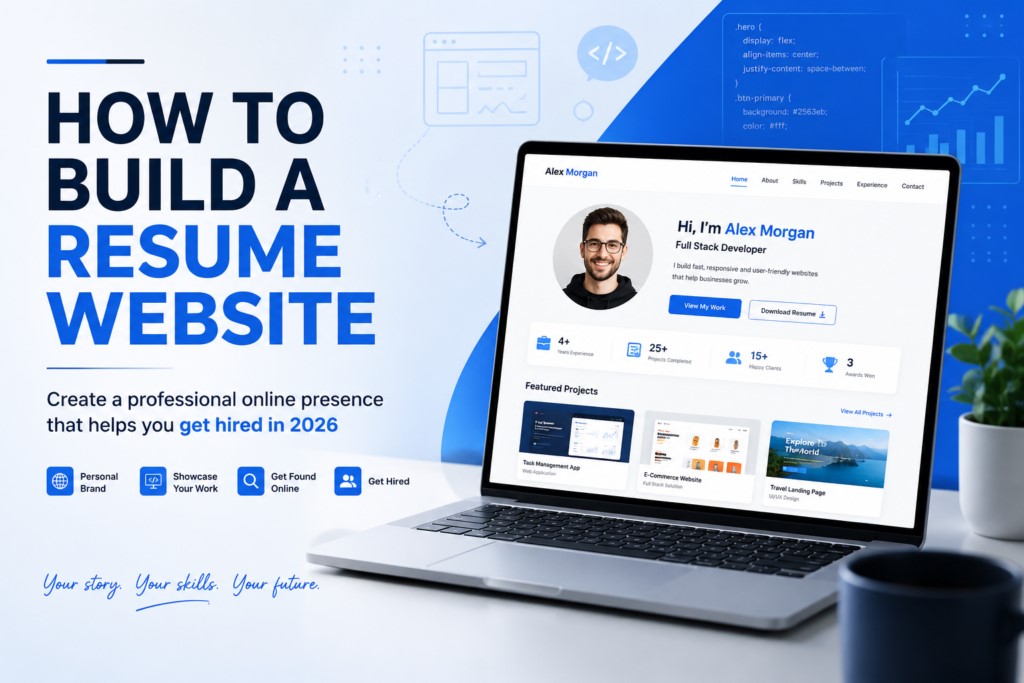
You have a polished PDF resume sitting in your downloads folder. You have sent it to dozens of employers. And yet, the responses are slow, the callbacks are fewer than expected, and you keep wondering what is missing.
Here is what is missing: a resume website.
In 2025, a resume website is no longer a “nice to have” for creative professionals only. It is the single most powerful tool a job seeker, freelancer, or consultant can use to get discovered, stand out, and convert interest into opportunity. A well-built resume website works for you around the clock, ranks on Google when recruiters search for your skills, and tells your story in a way no two-page PDF ever could.
This guide walks you through everything — from choosing a platform to optimizing for search engines — so you can build a resume website that employers actually love.
What Is a Resume Website and Why Does It Matter More Than a PDF?
A resume website is a personal website designed to present your professional background, skills, experience, and personality to potential employers or clients. Think of it as your digital headquarters — a place where everything about your professional life lives in one shareable, searchable, always-accessible URL.
Unlike a traditional resume, a website lets you:
- Expand on your experience without worrying about page limits
- Embed video introductions, project demos, or portfolio pieces
- Show up in Google search results when recruiters look for candidates with your skills
- Share a single link across LinkedIn, email signatures, and job applications
- Update your information in real time without reformatting an entire document
The difference between a resume and a resume website is the difference between handing someone a business card and inviting them into your office. One is static. The other tells a complete story.
Who Should Build a Resume Website?
Almost everyone benefits from a resume website, but it is especially valuable if you are:
A freelancer or consultant who needs clients to find and evaluate you without a middleman platform taking a cut of your credibility.
A creative professional — designer, photographer, writer, developer, filmmaker — who needs to show work, not just describe it.
A recent graduate with limited work experience but strong projects, coursework, or skills to showcase.
A career changer who wants to reframe their background narrative in a way a traditional resume format does not allow.
A passive job seeker who is not actively applying but wants to be discoverable when the right opportunity comes looking.
If you fall into any of these categories, a resume website is not optional anymore. It is a competitive necessity.
Step 1 — Define Your Goal Before You Build Anything
The biggest mistake people make when building a resume website is jumping straight into design without defining what the site is supposed to accomplish.
Ask yourself these questions before you open any website builder:
- Am I trying to land a full-time job, attract freelance clients, or build a personal brand?
- Who is my primary audience — recruiters, business owners, creative directors, or startup founders?
- What is the one thing I want a visitor to do when they land on my site?
Your answers will shape everything — from the tone of your writing to the pages you include to the call-to-action buttons you place throughout the site.
A job seeker targeting corporate recruiters needs a clean, professional layout with a downloadable PDF and a contact form. A freelance designer targeting small businesses needs a bold portfolio with testimonials and a clear pricing or inquiry section. These are different websites serving different goals, and confusing the two leads to a site that serves neither.
Define your goal first. Build second.
Step 2 — Choose the Right Platform for Your Resume Website
You do not need to know how to code to build a professional resume website. Modern website builders have made it genuinely accessible for anyone to create a polished, fast, mobile-friendly site in a matter of hours.
Here are the most commonly used platforms and what each one is best for:
WordPress — best for SEO and long-term growth
WordPress is the most flexible and SEO-powerful option. It requires a bit more setup — you will need hosting and a domain separately — but it gives you complete control over design, plugins, and performance. If long-term growth and search visibility matter to you, WordPress is the strongest foundation.
Squarespace — best for creatives who want beautiful design fast
Squarespace is ideal for creatives who want beautiful design with minimal technical effort. The templates are visually refined and the editor is intuitive. It handles hosting, security, and mobile optimization automatically.
Wix — best for beginners with no technical experience
Wix offers a drag-and-drop interface that is arguably the easiest to use for beginners. It includes built-in SEO tools, a large template library, and AI-assisted site generation that speeds up the building process significantly.
Webflow — best for designers who want custom control
Webflow sits between Squarespace and WordPress — more design flexibility than Squarespace, less technical overhead than WordPress. Popular among designers who want pixel-level control without writing code.
GitHub Pages — best for developers on a budget
GitHub Pages with a custom theme is worth mentioning for developers who want full control and a free hosting option, though it requires comfort with version control and basic HTML/CSS.
The right platform depends on your technical comfort level, your budget, and how much you intend to grow the site over time.
Step 3 — Register a Domain Name That Works for Your Brand
Your domain name is your first impression before anyone even sees your site. It appears in search results, in email signatures, and on business cards. It needs to be clean, professional, and memorable.
The ideal domain name follows a simple formula: your name or your name plus your profession.
Examples: – janesmith.com – janesmith-designer.com – janesmithwrites.com
If your name is already taken as a .com, try .me, .co, or .io — all of which carry professional weight. Avoid long hyphens, numbers, or anything that requires explanation when spoken aloud.
Register your domain through a registrar like Namecheap, Google Domains, or through your chosen website builder if they offer domain registration as part of the plan.
Step 4 — Pick a Clean, Professional Website Theme
Your website theme is the visual foundation everything else sits on. A strong theme communicates professionalism before a single word is read. A poor theme undermines everything — regardless of how strong your content is.
When evaluating themes for a resume website, look for:
Simplicity over complexity
Flashy animations, heavy graphics, and cluttered layouts distract from your content. Recruiters are busy. They want to find your experience, skills, and contact information quickly.
Strong readability and typography
Clean typography with strong contrast and generous white space makes your content easy to absorb. Avoid decorative fonts for body text and stick to legible sizes — nothing below 16px for paragraph copy.
Visual consistency with your PDF resume
Your website and your PDF resume should feel like they come from the same brand. Use the same color palette, fonts, and overall tone across both.
Full mobile responsiveness
Over half of web browsing now happens on mobile devices. Your site must look and function correctly on a smartphone screen. Most modern themes handle this automatically, but always test it manually before publishing.
Step 5 — Write a Professional Summary That Opens Doors
Your professional summary is the most important piece of copy on your entire website. It appears on your homepage, it is often the first thing a recruiter reads, and it sets the tone for everything else.
Think of it as your elevator pitch in written form. In approximately 150 to 200 words, it should answer three questions:
- Who are you and what do you do?
- What makes you distinctly valuable?
- What kind of opportunities are you open to?
Write in first person, keep the tone confident but not arrogant, and be specific. Vague summaries like “experienced professional with a passion for excellence” say nothing. Specific summaries like “Product designer with 6 years of experience building mobile apps for fintech startups, specializing in reducing user drop-off through data-informed UX decisions” say everything.
Your summary is also one of the most important places to naturally include your target keywords — the terms recruiters and clients type into Google when searching for someone with your skills.
Step 6 — Structure Your Resume Website Pages the Right Way
A well-structured resume website guides the visitor from first impression to contact without friction. Here is the page structure that works best:
Homepage
Your headline, professional photo, one-sentence positioning statement, and a short professional summary. This page should communicate who you are and what you offer within the first five seconds.
About page
A more detailed version of your story. Where did you come from professionally? What drives you? What makes you different from everyone else with your job title? This page is where personality earns trust.
Resume or experience page
A detailed breakdown of your work history, education, certifications, and skills. This can be formatted as a timeline, a list, or a combination. Include company names, dates, roles, and specific accomplishments — not just responsibilities.
Portfolio or projects page
For anyone with tangible work to show, this page is often the most important. Include case studies, screenshots, links, and brief descriptions that explain your role and the outcome. Quality beats quantity — show your five best pieces, not your fifty mediocre ones.
Skills page
A dedicated section for technical skills, tools, software, languages, and any specialized knowledge. Consider using visual elements like skill bars or categorized lists to make this scannable.
Testimonials page
Social proof from former employers, clients, or colleagues adds immediate credibility. Even two or three genuine, specific endorsements can shift a recruiter’s perception significantly.
Contact page
Make it effortless to reach you. Include a contact form, your email address, and links to your LinkedIn profile. If you are open to phone calls, include your number. Remove every possible barrier between a recruiter’s interest and their ability to act on it.
Step 7 — Add a Professional Photo That Builds Immediate Trust
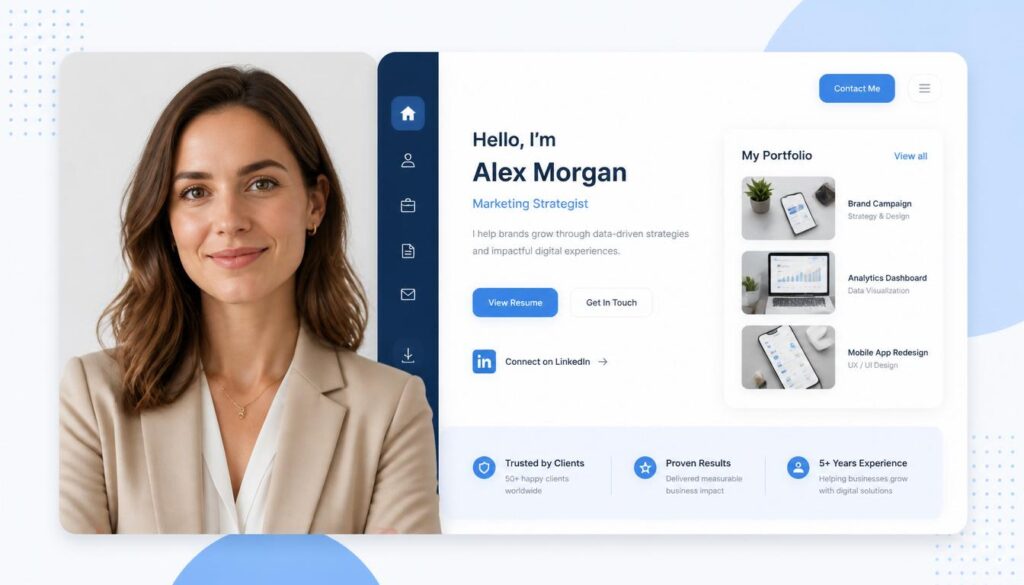
Human beings are wired to connect with faces. A professional photo on your resume website establishes a personal connection before a single word is read, and it signals that you take your professional image seriously.
A few non-negotiable rules for your website photo:
- Use a recent photo that looks like you today, not five years ago
- Choose a clean, neutral background — a plain wall, an outdoor setting with soft light, or a professional environment
- Dress the way you would for an important meeting in your industry
- Make sure the image is high resolution — at least 800 x 800 pixels
- Place it above the fold on your homepage so visitors see it immediately
If you have not had professional headshots taken, it is worth the investment. A skilled photographer can produce usable images in an hour-long session, and those images will represent you everywhere — your website, LinkedIn, conference profiles, and press mentions.
Step 8 — Create a Portfolio Section That Proves Your Skills
Anyone can write “strong communication skills” or “experienced in project management” on a resume. What separates candidates in competitive hiring processes is proof.
A portfolio section provides that proof. It transforms abstract claims into tangible evidence.
When building your portfolio:
Choose quality over quantity
Resist the urge to include everything. A portfolio of ten carefully chosen, well-documented projects is more impressive than a gallery of thirty undescribed screenshots. Select your strongest 5 to 10 pieces only.
Write a case study for each project
A case study explains the problem you were solving, your specific role and contribution, the process you followed, the challenges you encountered, and the outcome. This is far more compelling than a project title and a screenshot.
Use high-quality visuals
Blurry images, misaligned screenshots, or low-resolution graphics undermine the professionalism of everything around them. Take the time to create clean, properly sized visuals for every portfolio piece.
Include live links wherever possible
If the work is live, link to it. If it was published, link to the publication. External links add legitimacy and give visitors a way to verify your work independently.
Step 9 — Optimize Your Resume Website for Search Engines
A resume website that no one can find on Google is significantly less valuable than one that appears in search results when recruiters type in your name, your profession, or your skills.
Search engine optimization for a personal resume website does not need to be complicated. Focus on these fundamentals:
Use target keywords naturally throughout your content
If you are a UX designer in Chicago, phrases like “UX designer in Chicago,” “user experience design,” “mobile app design,” and “product designer” should appear in your homepage copy, your about page, your skills section, and your meta descriptions.
Optimize page titles and meta descriptions
Every page on your site has a title tag and a meta description that appear in search results. Write these carefully, include relevant keywords, and make them compelling enough that someone would want to click.
Add alt text to every image
Search engines cannot see images — they read alt text. Write descriptive alt text for every image on your site, including your profile photo and portfolio images.
Use descriptive, keyword-rich URLs
A URL like yourname.com/ux-designer-chicago is far better for SEO than yourname.com/page2. Keep URLs short, descriptive, and keyword-relevant.
Build internal links between your pages
Link from your homepage to your portfolio. Link from your about page to your contact page. Internal linking helps search engines understand your site structure and keeps visitors moving through your content.
Earn quality backlinks over time
When you publish on LinkedIn, mention your website. When you contribute to industry forums or publications, link back to your site. Even a handful of credible inbound links can significantly improve your search visibility.
If you want professional help ensuring your website is fully optimized for search and built to convert visitors into clients, SiteNova Agency’s web design services are worth exploring. The team specializes in building websites that perform in both search rankings and real-world conversion.
Step 10 — Make Sure Your Site Is Fully Mobile-Friendly
This step is non-negotiable. According to consistent industry data, more than half of all internet traffic now comes from mobile devices. If your resume website loads slowly, displays incorrectly, or is difficult to navigate on a smartphone, you are alienating a significant portion of your potential audience — including recruiters browsing on their phones between meetings.
Most modern website builders automatically generate a mobile-responsive version of your site, but automatic does not always mean optimal. After building your site, manually test it on:
- An iPhone and an Android phone
- A tablet in both portrait and landscape orientation
- A desktop browser at various window sizes
Check that all text is readable without zooming, all buttons are large enough to tap comfortably, all images scale correctly, and your contact form works end-to-end on mobile.
Use Google’s free PageSpeed Insights tool to get a technical performance score and specific recommendations for improvement. A slow-loading site, even a visually beautiful one, will hurt your search rankings and frustrate visitors before they even read your headline.
Step 11 — Add a Downloadable PDF Resume
Your resume website is your digital home base, but many employers still request a traditional resume document during the application process. Accommodate both formats by adding a clearly visible download button that links to a PDF version of your resume.
A few best practices for your downloadable resume:
- Save it as a PDF, not a Word document — PDFs preserve formatting across all devices and operating systems
- Name the file professionally: FirstName-LastName-Resume.pdf, not resume-final-v3-updated.pdf
- Place the download button somewhere prominent — the header of your site or the top of your Resume page
- Update the PDF every time you update your website so the two versions stay synchronized
- Make sure the visual style of your PDF resume is consistent with your website’s branding
Step 12 — Add Testimonials and Social Proof
In an era when every candidate claims to be results-driven and detail-oriented, third-party validation matters more than ever. A testimonial from a former manager, a client review, or a recommendation from a respected colleague carries far more weight than any self-assessment you could write.
Reach out to three to five people from your professional network and ask for a short, specific testimonial. The most effective testimonials are specific about what you did, what the outcome was, and why they would recommend you.
Display these prominently on your homepage and on a dedicated testimonials page. Include the person’s name, job title, and company for maximum credibility. If you have a strong LinkedIn recommendation, you can quote it directly on your site with a link to your LinkedIn profile.
Step 13 — Connect Your Social Media Profiles Strategically
Your resume website should be the hub that connects your entire professional online presence. Link to your most relevant social profiles — but be selective about which ones you include.
Always link to LinkedIn
It is the primary professional network for most industries and recruiters use it constantly to verify and expand on what they see in resumes and websites.
Include GitHub if you are a developer
A GitHub profile with active, well-documented repositories is stronger evidence of your technical skills than any bullet point on a resume.
Include Dribbble or Behance if you are a designer
These platforms are where design recruiters actively search for talent, and linking to your profile creates a bridge between your website and those communities.
Include your blog or Substack if you write regularly
Thought leadership content builds credibility in a way that credentials alone cannot. If you write consistently about your industry on Substack, Medium, or a personal blog, link to it.
Avoid linking to personal social accounts
Unless they genuinely strengthen your professional image, leave personal accounts out. A personal Twitter/X account full of off-topic content or a personal Instagram focused on your weekend activities adds nothing and can detract from your professional narrative.
Step 14 — Set Up Analytics to Track What Is Working
Publishing your resume website is not the final step — it is the beginning of an ongoing process. To understand whether your site is actually working, you need data.
Set up Google Analytics on your site before you launch. It is free, widely supported, and provides detailed information about:
- How many people are visiting your site and how that number changes over time
- Which pages are most viewed and which are being ignored
- How long visitors spend on each page
- Where your traffic is coming from — search engines, direct links, social media, or referrals
- Which devices and locations your visitors are using
With this data, you can make informed decisions about where to improve your content, which keywords are driving traffic, and whether your site is attracting the right kind of visitor.
Step 15 — Test, Get Feedback, and Launch
Before you publish your resume website to the world, do a thorough review that covers both content and technical functionality.
Check the following:
- All links work and point to the correct destination
- Your contact form submits successfully and you receive the notification
- Your downloadable PDF opens correctly
- Your site loads in under three seconds on a standard connection
- All images have alt text
- No spelling or grammar errors exist anywhere on the site
- Your site looks correct on mobile, tablet, and desktop
Then ask someone you trust — a friend in your industry, a mentor, or a colleague — to review the site with fresh eyes. Tell them to be honest. Ask them specifically whether the site communicates your value clearly, whether it is easy to navigate, and whether anything feels off or confusing.
Once you have addressed their feedback, hit publish.
Common Resume Website Mistakes to Avoid
Even well-intentioned resume websites can underperform because of avoidable mistakes. Here are the most common ones:
Burying your contact information
Your email address or contact form should be accessible from every page. Putting it only on a Contact page that visitors have to hunt for creates unnecessary friction.
Using a generic or unprofessional domain name
A domain like wordpress-site-12837.wordpress.com signals that you did not invest enough effort to register a proper domain. It costs less than twenty dollars a year and makes an enormous difference in perceived professionalism.
Neglecting to update the site regularly
A resume website with projects from three years ago and no recent activity suggests stagnation. Update your site every time you complete a significant project, earn a certification, or change roles.
Overloading the site with design elements
Excessive animations, autoplay videos, elaborate parallax scrolling effects, and ten different font styles all compete for attention and slow down your site. Restraint is a design virtue.
Forgetting to include a clear call to action
Every page should guide the visitor toward a next step — whether that is downloading your resume, viewing your portfolio, or getting in touch. A site without clear calls to action leaves visitors without direction and opportunity on the table.
What a Professional Web Design Team Can Do That a Builder Cannot
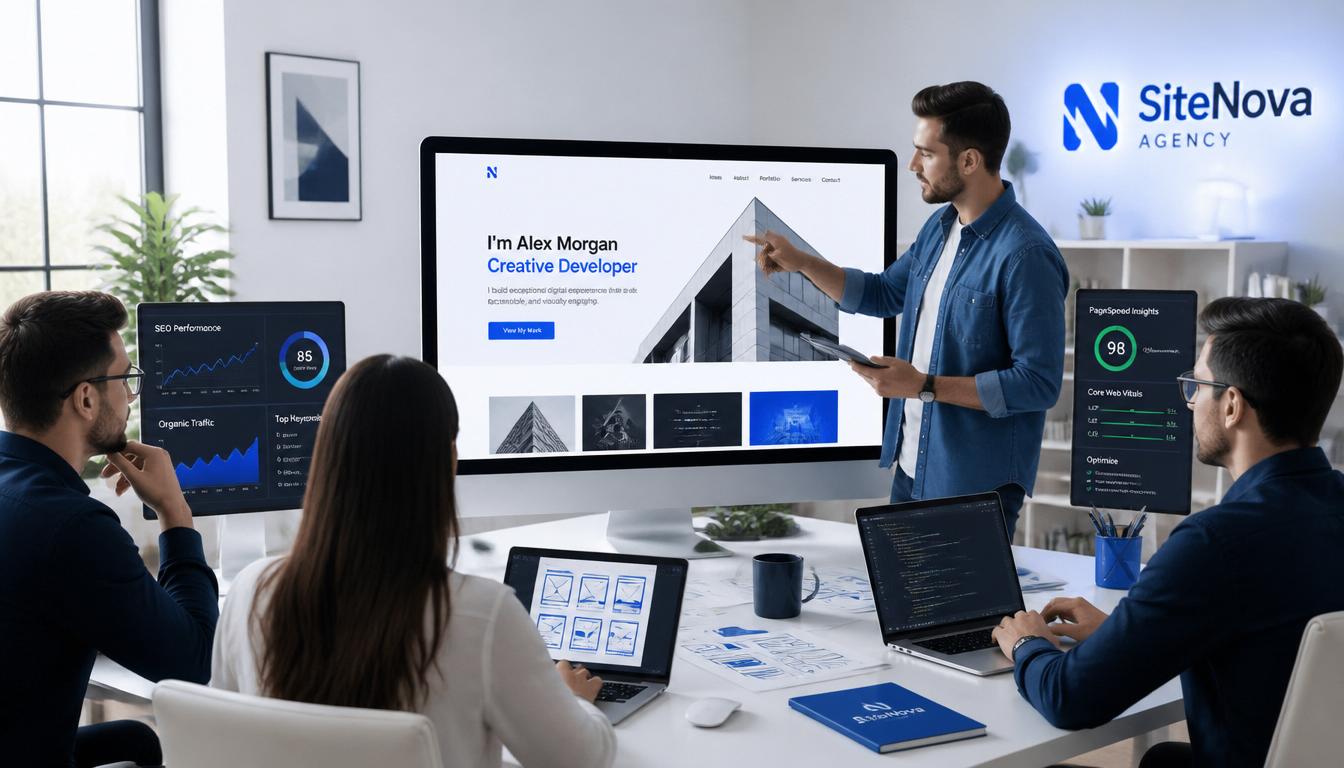
Website builders are excellent tools for getting started, and many people build impressive resume websites entirely on their own. But there is a ceiling to what a template and a drag-and-drop editor can achieve — particularly when it comes to performance optimization, custom functionality, and the kind of distinctive visual identity that makes a site genuinely memorable.
A professional web design agency can:
- Build a custom site from scratch that reflects your personal brand with precision
- Optimize site speed and technical SEO at a level that most website builders do not enable
- Create interactive portfolio experiences that no template replicates
- Ensure your site passes Core Web Vitals benchmarks — an increasingly important Google ranking factor
- Provide ongoing maintenance and updates so your site stays fast, secure, and current
If you are serious about your online presence and want a resume website that does more than just exist, working with a professional team is worth the investment. SiteNova Agency’s web design specialists build websites that are fast, conversion-focused, and built to rank — whether you need a personal resume site or a full professional portfolio.
Final Thoughts
Building a resume website in 2026 is one of the highest-return investments you can make in your professional future. It expands what a paper resume can say about you. It makes you discoverable to opportunities you would never find through job boards alone. And it gives you a professional home on the internet that you own, control, and can grow indefinitely.
The steps in this guide cover everything you need — from defining your goal and choosing a platform to optimizing for search and setting up analytics. Follow them in sequence, invest the time to do each step properly, and you will have a resume website that genuinely moves the needle on your career.
Start building today. Your next employer or client might be searching for you right now — make sure they can find you.
Need help designing a website that performs as good as it looks? Explore SiteNova Agency’s professional web design services and get a site built to attract, impress, and convert.