Table of Contents
- What Is Google Business Profile for Local SEO?
- Why Google Business Profile Is the Foundation of Local SEO
- How to Claim and Verify Your Google Business Profile
- How to Completely Optimize Your Google Business Profile for Local SEO
- Google Business Profile Categories — How to Choose Correctly
- Writing the Perfect Google Business Profile Description
- Google Business Profile Photos — Complete Guide
- How Google Reviews Impact Local SEO Rankings
- Google Posts — How to Use Them for Local SEO
- Google Business Profile Products and Services
- Google Business Profile Q&A — How to Use It Strategically
- Google Business Profile Insights — Understanding Your Data
- Common Google Business Profile Mistakes That Hurt Local SEO
- Google Business Profile for Different Industries in Pakistan
- Advanced Google Business Profile Strategies for 2026
- Frequently Asked Questions
- Conclusion
What Is Google Business Profile for Local SEO?
Google Business Profile for local SEO is the most powerful — and completely free — tool available to any business that serves customers in a specific geographic area. If you have ever searched for a restaurant, clinic, shop, or service provider on Google and seen a business listing appear on the right side of your screen or in a map with three business cards above the regular search results, you have seen Google Business Profile in action.
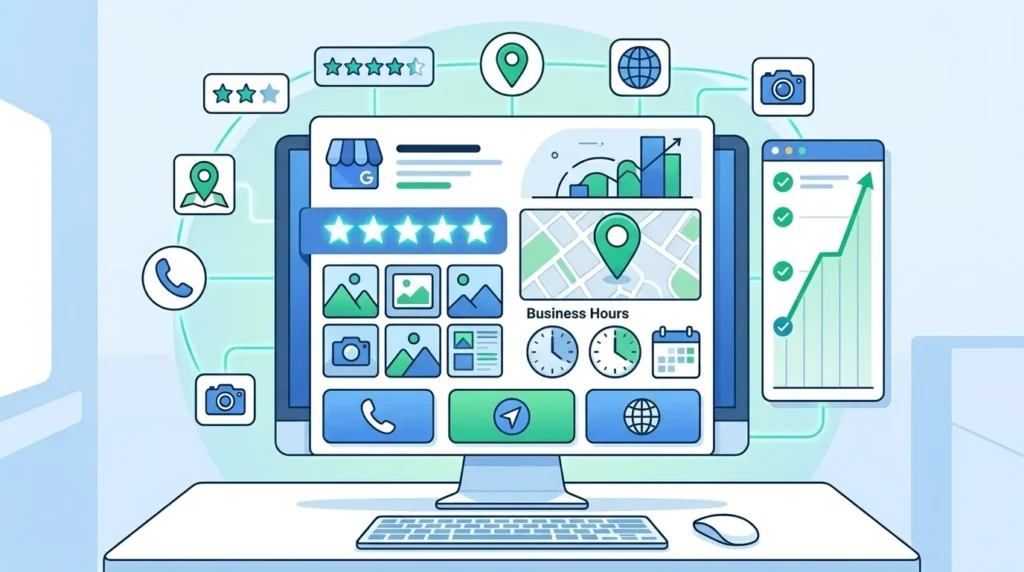
Google Business Profile (GBP) — formerly known as Google My Business — is Google’s free platform that allows businesses to manage how they appear across Google Search and Google Maps. When fully optimized, your Google Business Profile becomes a powerful local SEO asset that puts your business directly in front of thousands of potential customers in your city who are actively searching for exactly what you offer.
For businesses in Lahore, Karachi, Islamabad, Rawalpindi, Faisalabad, and across Pakistan, Google Business Profile for local SEO is not optional — it is the single most impactful local search optimization action you can take. A fully optimized profile consistently outperforms competitors with incomplete or neglected listings, regardless of how long those competitors have been in business.
This guide is part of our ongoing digital marketing series. If you have not already read our previous guides, we strongly recommend starting with why local SEO is important and what SEO is in digital marketing before diving into Google Business Profile optimization — the foundational context will make everything in this guide more meaningful and actionable.
Why Google Business Profile Is the Foundation of Local SEO
Before getting into the tactical details of optimization, it is important to understand precisely why Google Business Profile sits at the foundation of every effective local SEO strategy.
It Controls Your Google Maps Presence
Google Maps is how the majority of Pakistani consumers discover local businesses in 2026. When someone searches for a service in their city on their smartphone, Google Maps results — powered entirely by Google Business Profile data — are what they see first. Without a claimed and optimized Google Business Profile, your business either does not appear on Maps at all or appears with incomplete, potentially inaccurate information that Google has automatically generated.
It Powers the Local Pack
The Local Pack — the prominent box of three business listings that appears above regular organic search results for local queries — is the most valuable real estate on Google’s search results page. Appearing in the Local Pack for competitive local keywords like “digital marketing agency Lahore” or “web design company Karachi” can generate more traffic, calls, and leads than ranking in the top three organic positions. Google Business Profile optimization is the primary lever that determines whether your business appears in the Local Pack.
It Provides Direct Customer Actions Without Website Visits
A fully optimized Google Business Profile gives potential customers everything they need to choose your business and take action — address, phone number, hours, reviews, photos, services, and directions — directly on Google, without ever visiting your website. This means your Google Business Profile is often the first — and sometimes the only — interaction a customer has with your business before deciding to call or visit.
It Is a Direct Google Ranking Signal
Google uses the information in your Google Business Profile as a direct input into its local search ranking algorithm. Profile completeness, category accuracy, review signals, posting frequency, and engagement metrics all influence where your business appears in local search results. A neglected profile directly translates to lower local rankings.
It Is Completely Free
Despite being one of the most powerful local SEO tools available, Google Business Profile costs nothing. This makes it the highest ROI local SEO investment available to any business — investing time in optimizing your profile generates returns that paid advertising at many times the cost cannot match.
For a complete understanding of why these local signals matter so much to Google, read our detailed guide on why local SEO is important which covers the three core local ranking factors — relevance, distance, and prominence — that Google Business Profile directly influences.
How to Claim and Verify Your Google Business Profile
Before you can optimize your Google Business Profile for local SEO, you need to claim and verify it. Here is the complete process:
Step 1 — Search for Your Business on Google
Go to business.google.com and sign in with your Google account. Search for your business name. Google may already have an automatically generated listing for your business — if so, you will see a prompt to claim it. If no listing exists, you will create a new one.
Step 2 — Enter Your Business Information
Provide your exact business name, business category, address, service area, phone number, and website URL. Be precise — this information becomes the foundation of your local SEO, and inconsistencies between this profile and your website or other directories will weaken your local rankings.
Step 3 — Choose Your Verification Method
Google offers several verification methods depending on your business type and location:
Postcard verification — Google mails a postcard with a verification code to your business address. This is the most common method and typically takes 5 to 14 days to arrive in Pakistan.
Phone verification — some businesses are eligible to verify via an automated phone call or text message with a verification code.
Email verification — some businesses can verify via a code sent to their business email address.
Video verification — Google increasingly uses video verification where you record a short video showing your business location, signage, and equipment.
Instant verification — businesses that have already verified their website with Google Search Console may be eligible for instant verification.
Step 4 — Complete Verification
Enter the verification code exactly as provided. Once verified, your Google Business Profile is active and you have full control over how your business appears on Google Search and Maps.
Important Note for Pakistani Businesses
If your business serves customers at their location — meaning you go to them rather than them coming to you — select “Service area business” rather than entering a physical storefront address. This is the correct setting for freelancers, home service providers, and agencies that work remotely with clients.
How to Completely Optimize Your Google Business Profile for Local SEO
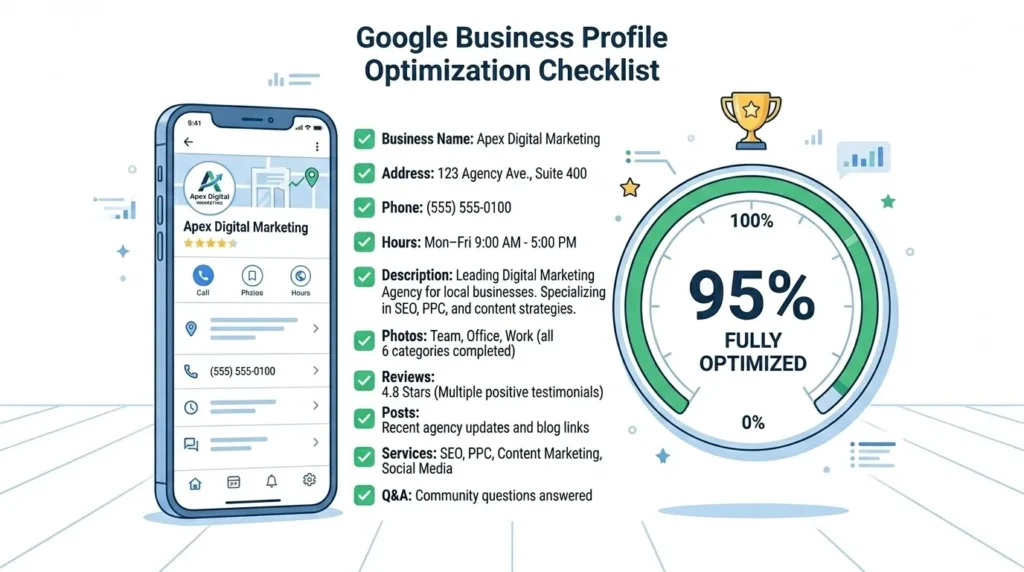
Claiming your profile is just the beginning. The difference between a basic profile and a fully optimized Google Business Profile for local SEO is significant — in both ranking position and the number of customers your listing generates. Here is every element you need to optimize:
Business Name
Your business name on Google Business Profile must exactly match your real-world business name — the name on your signage, website, and legal documents. Do not add keywords to your business name. “SiteNova Agency” is correct. “SiteNova Agency Best SEO Lahore” is a guideline violation that can get your listing suspended.
Primary Address
Enter your complete, accurate address including building number, street name, area, city, and postal code. Ensure this address is identical — character for character — to the address on your website’s contact page and every other online directory listing. Even minor differences like “Street” vs “St.” can create NAP inconsistency that weakens local SEO.
Phone Number
Use a local phone number rather than a mobile number wherever possible — local numbers with area codes strengthen geographic relevance signals. Ensure this number is identical to what appears on your website.
Website URL
Link to your main website homepage or, if you are optimizing a profile for a specific location, to that location’s dedicated page on your website. Ensure the URL is correct and the destination page loads properly.
Business Hours
Set accurate business hours for every day of the week. Update hours for Pakistani public holidays, Eid, and special occasions using the “Special hours” feature. Inaccurate hours are one of the most common causes of negative Google reviews — customers who show up during listed hours and find the business closed leave very damaging feedback.
Google Business Profile Categories — How to Choose Correctly
Business categories are one of the most important and most commonly misused elements of Google Business Profile for local SEO. Categories tell Google what your business does — and Google uses this information to determine which local searches your profile is relevant for.
Primary Category
Your primary category is the single most important category selection. It should describe your core business as specifically as possible. Choose the most precise category that accurately describes your main service — not a broad general category.
For example:
- A full-service digital marketing agency should choose “Digital Marketing Agency” — not “Marketing Agency” or “Advertising Agency”
- A dentist should choose “Dentist” — not “Health Clinic”
- A web design company should choose “Web Designer” — not “Software Company”
Secondary Categories
You can add up to nine additional secondary categories that describe other services your business offers. These expand the range of searches your profile can appear for without diluting your primary category signal.
For SiteNova Agency, appropriate secondary categories might include:
- Internet Marketing Service
- SEO Agency
- Web Design Company
- Advertising Agency
- Marketing Consultant
Category Selection Strategy
Search Google for your primary keyword — “digital marketing agency Lahore” — and look at the categories used by the top-ranking businesses in the Local Pack. These are the categories Google’s algorithm has associated with your target search terms. Use this as guidance for your own category selection.
Never select categories that do not accurately describe your business just because they have high search volume. Category misrepresentation violates Google’s guidelines and can result in listing suspension.
Writing the Perfect Google Business Profile Description
Your Google Business Profile description is a 750-character text field that appears on your profile. It does not directly influence rankings — Google has confirmed this — but it significantly influences whether potential customers choose to call or visit after finding your profile. A well-written description converts profile views into customer actions.
What to Include in Your Description
What you do — clearly describe your primary services in plain language that your target customers use. Avoid jargon.
Who you serve — mention your target customers and geographic service area.
What makes you different — your unique value proposition. Why should someone choose you over the competitor whose listing also appears?
A soft call to action — invite the reader to visit your website, call, or book a consultation.
What to Avoid
- Do not include URLs or links — they are not clickable and look unprofessional
- Do not make claims you cannot substantiate — “#1 SEO agency in Pakistan” without evidence damages credibility
- Do not keyword stuff — write for the human reader, not the algorithm
- Do not include promotional pricing — pricing changes frequently and outdated offers damage trust
Example Description for SiteNova Agency
“SiteNova Agency is a results-driven digital marketing agency based in Lahore, Pakistan, helping businesses across Pakistan and the United States grow their online presence through expert SEO, professional web design, and strategic content marketing. Our team of experienced specialists delivers measurable improvements in search rankings, organic traffic, and online lead generation — tailored to your specific business goals and target market. Whether you need a complete digital marketing partner or focused SEO services, we build strategies that produce real, sustainable results. Contact us today to discuss your growth goals.”
Character count: 718 — within the 750-character limit, naturally including primary keywords and geographic signals.
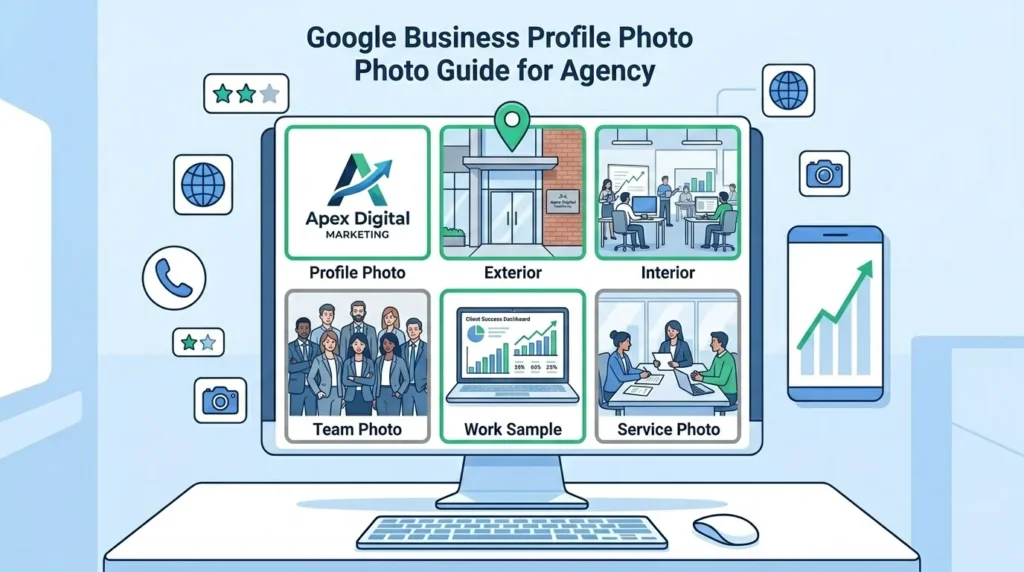
Google Business Profile Photos — Complete Guide
Photos are one of the most powerful yet most neglected elements of Google Business Profile for local SEO. Google’s data consistently shows that businesses with photos receive significantly more clicks, calls, and direction requests than businesses without photos. Photos influence both rankings — through engagement signals — and conversion — by building visual trust with potential customers.
Required Photo Types
Profile photo — your business logo, displayed as the small circular image representing your business across Google. Use a clean, high-resolution version of your logo on a white or solid background. Minimum 250×250 pixels.
Cover photo — the large banner image displayed prominently on your profile. This is your most important photo — use a professional, high-quality image that represents your business at its best. Recommended size: 1080×608 pixels.
Exterior photos — photos of your business frontage, entrance, and signage from the street. These help customers recognize and find your location.
Interior photos — photos of your office, workspace, or store interior showing the environment customers will experience.
Team photos — photos of your team at work build personal trust and humanize your business. For Pakistani businesses where personal relationships and trust are particularly important, team photos have especially strong conversion impact.
Work or product photos — photos showing your actual work, products, or services in action. For SiteNova Agency, this might include screenshots of client ranking improvements, team strategy sessions, or website design work.
Photo Optimization for Local SEO
File naming — name your photo files descriptively before uploading. “sitenova-agency-lahore-office.jpg” is better than “IMG_4829.jpg.” While Google does not officially confirm that file names influence rankings, named files provide additional relevance signals.
Geotagging — embedding GPS coordinates into your photo metadata before uploading can provide additional geographic relevance signals for local SEO. Free tools like GeoImgr allow you to add location data to photos.
Regular updates — Google rewards profiles with recently added photos. Aim to add at least two to three new photos every month to signal that your business is active and current.
Quantity — more photos generally correlates with better local rankings. Aim for a minimum of ten photos across all categories, working toward twenty or more for maximum impact.
How Google Reviews Impact Local SEO Rankings
Customer reviews are among the most powerful signals in Google Business Profile for local SEO — influencing both where your business ranks in local results and how many potential customers choose to contact you after seeing your listing.
Why Reviews Matter for Local SEO Rankings
Google uses review signals as a direct local ranking factor. The specific review signals that influence rankings include:
Review quantity — businesses with more reviews generally rank higher than those with fewer, all other factors being equal. There is no magic number — more is always better, with diminishing returns at very high review counts.
Average rating — businesses with higher average ratings rank better and receive significantly more clicks. A 4.8-star business will consistently outperform a 3.9-star business in both rankings and click-through rates.
Review recency — recent reviews carry more weight than old ones. A business with 50 reviews all from three years ago will typically underperform a business with 20 reviews from the past six months. Consistent, ongoing review acquisition is more valuable than a one-time push.
Review content — reviews that mention specific services, locations, and keywords provide additional relevance signals. A review that says “SiteNova Agency did excellent SEO work for our Lahore-based business” is more valuable for local SEO than one that simply says “Great service!”
Business responses — Google has confirmed that responding to reviews influences local rankings. Responding to every review — positive and negative — signals active business engagement that Google rewards.
How to Generate More Google Reviews Ethically
Direct link sharing — create a direct link to your Google review page and share it with customers via WhatsApp, email, or SMS after a successful service. Go to your Google Business Profile dashboard, click “Get more reviews,” and copy the link Google provides.
WhatsApp follow-up — for Pakistani businesses, WhatsApp is the most effective channel for review requests. A simple, personal message after completing a service — “Assalam o Alaikum, we hope you are satisfied with our work. If you have a moment, we would really appreciate a Google review — here is the link” — generates strong response rates.
In-person requests — train your team to verbally ask satisfied customers for reviews at the point of service completion. A personal request combined with a WhatsApp follow-up with the review link is highly effective.
Email signature — add your Google review link to your email signature so every email you send is a passive review request opportunity.
QR code — create a QR code linking to your review page and place it on business cards, receipts, invoices, and in your office — making it easy for customers to leave reviews on the spot.
How to Respond to Reviews
Positive reviews — thank the reviewer by name, mention the specific service they referenced, and add a relevant local keyword naturally. “Thank you, Ahmed! We are so glad our SEO services helped your Lahore business improve its Google rankings. We look forward to continuing to support your growth.”
Negative reviews — respond professionally and empathetically, acknowledge the concern, offer to resolve the issue offline, and never argue publicly. “We are sorry to hear about your experience. Please contact us directly at [phone/email] so we can understand and resolve this situation — customer satisfaction is our highest priority.”
Google Posts — How to Use Them for Local SEO
Google Posts are short updates — similar to social media posts — that appear directly on your Google Business Profile. They are one of the most underutilized features of Google Business Profile for local SEO, particularly among Pakistani businesses.
Why Google Posts Matter for Local SEO
Regular Google Posts signal to Google that your business is active, current, and engaged — a behavioral signal that positively influences local rankings. Posts also appear prominently on your profile, giving potential customers additional reasons to choose your business and take action.
Types of Google Posts
What’s New posts — general updates about your business, new services, team news, or industry insights. These are the most flexible post type and ideal for sharing blog content, company updates, or helpful tips.
Offer posts — promotional posts with a start and end date, a title, and optional coupon code. Ideal for seasonal promotions, Eid offers, or limited-time discounts. Offer posts display a prominent “View offer” button that drives direct customer action.
Event posts — posts promoting specific events with date, time, and description. Useful for webinars, workshops, open days, or community events your business is hosting or participating in.
Product posts — posts highlighting specific products or services with photos, descriptions, and pricing. These appear in a dedicated Products section on your profile.
Google Posts Best Practices
Post every week — Google Posts expire after seven days for What’s New posts. Posting at least once per week ensures your profile always shows fresh, current content.
Include a call to action — every post should include a clear call to action button — “Learn more,” “Call now,” “Book,” or “Get offer” — that drives a specific customer action.
Use high-quality images — posts with images receive significantly more engagement than text-only posts. Use the same professional image quality standards as your main profile photos.
Include local keywords naturally — mention your city and services in post content to reinforce local relevance signals. “Our SEO team in Lahore is now accepting new clients for Q3 2026 — contact us today to book a free strategy session.”
Repurpose blog content — each blog post you publish on your website is an opportunity for a Google Post. Summarize the key insight from your latest blog and link back to the full article — this drives profile engagement while supporting your content marketing.
Google Business Profile Products and Services
The Products and Services sections of Google Business Profile for local SEO allow you to showcase exactly what your business offers — with descriptions, photos, and pricing — directly on your Google listing.
Services Section
The Services section is particularly important for service businesses like digital marketing agencies, law firms, healthcare providers, and consultancies. Add every service you offer with a clear name and description. For SiteNova Agency, this includes:
- Search Engine Optimization (SEO) — with description of what the service includes
- Web Design and Development — with description of deliverables
- Content Marketing — with description of content types and strategy
- Google Business Profile Optimization — with description of the optimization process
- Local SEO Services — with description of local optimization activities
- Keyword Research — with description of research methodology
Each service description is an opportunity to include relevant keywords naturally. Write for the potential customer who wants to understand exactly what they are getting — specificity builds trust and improves conversion.
Products Section
If your business sells physical or digital products, the Products section allows you to create a catalog visible directly on your Google profile. Include product name, category, price range, description, and photo. Products appear in a dedicated section on your profile and can also appear in Google Shopping results.
Pricing Transparency
Including price ranges in your services and products sections — even approximate ranges like “Starting from PKR 25,000/month” — significantly improves the quality of inquiries your profile generates. Customers who contact you knowing your approximate pricing are more likely to convert than those who contact you with no price expectation and are later surprised.
Google Business Profile Q&A — How to Use It Strategically
The Q&A section of Google Business Profile allows anyone — customers, competitors, or anonymous users — to ask questions about your business publicly. Anyone can also answer these questions — including you and other users. This makes the Q&A section both an opportunity and a risk that requires active management.
Proactive Q&A Population
The most effective strategy for the Q&A section is to populate it yourself with frequently asked questions before customers ask them. Log into your Google account, go to your Google Business Profile, and ask questions as a user — then immediately answer them from your business account.
Ideal questions to pre-populate for a digital marketing agency include:
- “What digital marketing services do you offer?” → Answer with complete service list
- “Do you serve businesses outside Lahore?” → Answer mentioning all cities you serve
- “How much do your SEO services cost?” → Answer with approximate price ranges
- “How long does it take to see SEO results?” → Answer with realistic timeline
- “Do you offer a free consultation?” → Answer with how to book one
- “What industries do you specialize in?” → Answer with your industry experience
Monitoring and Responding to Q&A
Check your Q&A section at least weekly. When a customer or user asks a question, respond promptly and thoroughly from your business account. Unanswered questions damage conversion — a potential customer who asked “Do you work with small businesses?” and received no response will contact your competitor instead.
Flag and report any Q&A content that is inaccurate, inappropriate, or potentially added by competitors attempting to damage your reputation.
Google Business Profile Insights — Understanding Your Data
Google Business Profile Insights — now called Performance in the updated interface — provides valuable data about how customers find and interact with your profile. Understanding this data is essential for measuring the impact of your Google Business Profile for local SEO and identifying opportunities for improvement.
Key Metrics to Track
Search queries — the actual keywords people used to find your profile. This is extraordinarily valuable data — it shows you exactly what potential customers are searching before they find your business. Use this to identify keyword opportunities for your website content and to understand whether your business is appearing for the right searches.
Search views vs Maps views — how many people found your profile through Google Search versus Google Maps. Most local businesses see a mix of both, with Maps views typically dominant for “near me” searches.
Customer actions — the number of people who clicked your website link, requested directions, called your phone number, or messaged you through your profile. These are the most important conversion metrics on your profile — they represent real potential customer engagement.
Photo views — how many times your profile photos have been viewed. Comparing your photo view counts to competitor averages (available in the Insights section) shows whether your photos are performing above or below category benchmarks.
Review performance — total reviews, average rating, and rating trend over time.
Using Insights to Improve Local SEO
If your Search queries show people finding you for services you do not offer, update your categories and description to better align your profile with your actual business. If your customer actions show many website clicks but few phone calls, your website may have conversion issues worth addressing. If photo views are low compared to competitors, invest in better photography.
Common Google Business Profile Mistakes That Hurt Local SEO
Even businesses that have claimed and partially optimized their Google Business Profile for local SEO often make mistakes that significantly reduce their local search performance. Here are the most damaging errors and how to fix them:
Keyword Stuffing in Business Name
Adding keywords to your listed business name — “SiteNova Agency SEO Digital Marketing Lahore Pakistan” — is one of the most common and most damaging mistakes. It violates Google’s guidelines, can trigger a listing suspension, and looks unprofessional to potential customers. Your business name must match your real-world name exactly.
Wrong Primary Category
Choosing a broad or inaccurate primary category is extremely common. A business that selects “Marketing Agency” when “Digital Marketing Agency” is available misses a significant ranking opportunity. Research the most specific accurate category available and use it.
Ignoring the Services Section
Leaving the Services section empty is a major missed opportunity. Google uses service information to match your profile with relevant search queries. A digital marketing agency that lists no services misses searches for “SEO services Lahore,” “web design Karachi,” and dozens of other service-specific local queries.
Using a Virtual Office Address
Some businesses use virtual office addresses to establish a presence in cities where they do not actually operate. Google actively detects and penalizes this practice. Only use an address where your business genuinely operates and where a Google verifier could confirm your presence.
Never Posting or Updating
A Google Business Profile that has no recent posts, no photo updates, and no review responses signals an inactive business to Google’s algorithm. Regular activity — even one post per week — significantly improves local rankings compared to a static, neglected profile.
Not Responding to Negative Reviews
A business with unanswered negative reviews loses potential customers at a significant rate. Every negative review that sits without a professional response is a signal to future customers that the business either does not care or does not monitor its reputation. Always respond within 24 hours.
Inconsistent NAP Information
Your business Name, Address, and Phone Number must be absolutely identical across your Google Business Profile, your website, your Facebook page, and every directory listing. Even minor inconsistencies — “Road” vs “Rd,” different phone number formats — weaken your local authority signal.
Missing or Low-Quality Photos
A profile with no photos or only poor-quality images receives dramatically fewer clicks than one with professional, varied photography. Invest in good photos — this is one of the highest-impact improvements available to most Pakistani businesses.
Google Business Profile for Different Industries in Pakistan
The optimization priorities for Google Business Profile for local SEO vary by industry. Here is how to approach GBP optimization for the most common business types in Pakistan:
Digital Marketing Agencies
Primary category: Digital Marketing Agency. Add secondary categories including Internet Marketing Service, SEO Agency, and Web Designer. Showcase client results in photos and work samples. Use Google Posts to share blog content and case studies. Pre-populate Q&A with service and pricing questions. Encourage client reviews that mention specific services and cities.
Healthcare — Clinics and Doctors
Primary category: your specific medical specialty (Dentist, Dermatologist, General Practitioner). Add appointment booking link. Include doctor credentials and qualifications in description. Feature clean, professional interior photos. Respond to every review with particular care — healthcare reviews are highly trust-sensitive. List all services including specific treatments and procedures.
Restaurants and Food Businesses
Primary category: your specific food business type (Restaurant, Cafe, Fast Food Restaurant). Add menu link and online ordering link if available. Upload extensive, high-quality food photography — food photos are among the highest-engagement photos on Google. Set special hours for Sehri, Iftar, and holiday periods. Actively gather and respond to all reviews.
Real Estate
Primary category: Real Estate Agency or Real Estate Agent. Showcase property photos and completed project images. Use Google Posts to feature current listings and market updates. Include service area cities in your description. Q&A should address common buyer and renter questions about your listings and process.
Legal Services
Primary category: Law Firm or your specific legal specialty. Be precise and accurate about areas of practice. Include credentials and bar membership information in description. Maintain particularly professional, thoughtful responses to all reviews. Legal clients research extensively before contacting — a complete, professional profile is especially important.
Education and Training Institutes
Primary category: your specific education type (Training Centre, School, College). Feature photos of classrooms, students, and facilities. Include course offerings in the Services section with descriptions. Use Google Posts to announce new courses, batch starts, and student success stories. Q&A should address admission requirements, fee structures, and course duration.
Advanced Google Business Profile Strategies for 2026
Beyond the foundational optimizations, these advanced strategies help businesses maximize the power of Google Business Profile for local SEO in 2026’s evolving search landscape.
Optimize for AI Overviews and Google AI Mode
In 2026, Google’s AI Overviews — the AI-generated summaries that appear at the top of many search results — increasingly pull business information from Google Business Profile data. A complete, accurate, well-structured profile with comprehensive service descriptions and strong review signals is more likely to be cited in AI-generated local recommendations.
Ensure your business description and service listings use clear, factual, structured language that AI systems can easily understand and summarize. Avoid vague marketing language in favor of specific, verifiable claims.
Build Location-Specific Landing Pages
Each location you serve should have a dedicated page on your website that your Google Business Profile links to. These pages should be genuinely useful — with location-specific content, local testimonials, and locally relevant information — not just identical pages with the city name swapped out.
For SiteNova Agency, this means dedicated pages for digital marketing services in Lahore, Karachi, Islamabad, and other target cities — each with unique content addressing that city’s specific market and customer needs. Our Locations pages are being built precisely for this purpose.
Competitor Analysis Through Google Business Profile
Search for your target keywords — “digital marketing agency Lahore” — and analyze the Google Business Profiles of the businesses appearing in the Local Pack. Note their categories, review counts, photo counts, posting frequency, and service listings. This analysis reveals exactly what optimization level is required to compete for Local Pack visibility in your specific market.
Schema Markup Alignment
Ensure your website’s LocalBusiness schema markup — the structured data that tells Google about your business — is perfectly aligned with your Google Business Profile information. Consistency between your schema markup and your GBP reinforces the accuracy of both signals and strengthens your local authority.
Regular Profile Audits
Conduct a complete Google Business Profile audit every quarter. Check that all information remains accurate, that no unauthorized changes have been made, that photo counts are growing, that review responses are up to date, and that your posting frequency is consistent. Quarterly audits prevent profile drift that can quietly damage local rankings over time.
Frequently Asked Questions About Google Business Profile for Local SEO
Q: What is Google Business Profile and why is it important for local SEO?
Google Business Profile is Google’s free tool for managing how your business appears on Google Search and Google Maps. It is important for local SEO because it is the primary signal Google uses to determine which businesses to show in local search results and on Maps. A fully optimized profile significantly increases your local search visibility, drives more calls and visits, and builds customer trust through reviews and photos.
Q: How long does it take for Google Business Profile optimization to improve local rankings?
Initial improvements from Google Business Profile optimization are typically visible within 2 to 4 weeks — faster than most other SEO activities. Complete profile setup, accurate NAP information, and early review acquisition can produce noticeable ranking improvements within the first month. Ongoing optimization — regular posts, consistent review growth, and photo additions — continues to improve rankings over the following 3 to 6 months.
Q: Can I have a Google Business Profile if I work from home or do not have a physical office?
Yes. If you serve customers at their location — such as a freelancer or mobile service provider — you can create a service area business profile that shows your service areas without displaying a home address. You can define the cities, regions, or radius you serve. This is the correct profile type for home-based businesses and remote service providers.
Q: What is the difference between Google Business Profile and Google My Business?
They are the same product. Google renamed “Google My Business” to “Google Business Profile” in 2021 as part of a broader rebranding of their business tools. All the optimization strategies, features, and functions are identical — only the name changed.
Q: How do I deal with fake negative reviews on my Google Business Profile?
Flag the review for removal by clicking the three dots next to the review and selecting “Report review.” Google will evaluate whether the review violates its policies. If the review is from a genuine customer but contains inaccurate claims, respond professionally correcting the inaccuracies without being defensive. For coordinated fake review attacks — sometimes used by unethical competitors — document the pattern and submit a Business Redressal Complaint through Google’s support system.
Q: How many Google reviews do I need to rank in the Local Pack?
There is no minimum review count required to appear in the Local Pack — a business with 5 highly relevant, recent reviews can outrank one with 50 old reviews if other ranking signals are stronger. However, in competitive Pakistani markets like Lahore and Karachi, Local Pack positions in competitive categories typically require 20 to 50+ reviews. The most important factors are review recency, rating quality, and response rate rather than total count alone.
Q: Is it against Google’s rules to ask customers for reviews?
No — asking customers for reviews is explicitly permitted by Google’s guidelines. What is not permitted is offering incentives for reviews (discounts, gifts, money), asking only customers you know will leave positive reviews (review gating), or creating fake reviews. Asking every satisfied customer for an honest review through a direct link is completely acceptable and strongly recommended.
Q: How does Google Business Profile connect to my website’s SEO?
Google Business Profile and website SEO work together as complementary local SEO signals. Your GBP links to your website, driving direct traffic. Your website’s LocalBusiness schema markup, NAP consistency, and location page content reinforce and strengthen your GBP signals. Strong website authority — good backlinks, quality content, technical SEO health — also positively influences Local Pack rankings. For the complete picture of how website SEO supports local rankings, read our guide on why local SEO is important.
Conclusion — Google Business Profile Is Your Most Powerful Free Local SEO Tool
Google Business Profile for local SEO is, without question, the highest-impact free tool available to any business that serves customers in a specific geographic area. In Pakistan’s rapidly growing digital economy, where millions of consumers search Google daily before making local purchasing decisions, a fully optimized Google Business Profile is the difference between being found and being invisible.
Every element of your Google Business Profile — from your primary category and business description to your photo count, review responses, and posting frequency — sends signals to Google that determine your local search visibility. Businesses that invest time in complete, consistent, and ongoing Google Business Profile optimization consistently outrank competitors who claim their profile and then forget about it.
The path to Local Pack visibility in Lahore, Karachi, Islamabad, or any Pakistani city starts with Google Business Profile. Claim it, complete it, optimize every element, and maintain it consistently — and you will build a local search presence that generates calls, visits, and customers month after month without ongoing advertising spend.
At SiteNova Agency, Google Business Profile optimization is a core component of every local SEO strategy we build for Pakistani businesses. Our team manages the complete optimization process — from initial setup and category selection to ongoing review management, post scheduling, and performance monitoring — ensuring our clients maintain the strongest possible local search visibility in their target markets.
To continue strengthening your digital marketing knowledge, explore our complete series: start with what digital marketing is, understand what SEO means in digital marketing, learn why local SEO is important, and apply everything you have learned here to .build the strongest possible local search presence for your business.